Context
What Happens on Launch Day —
When Apple releases a new product, every store has to be ready on day one at the same time, and it is not only the demo units that change. The whole room changes theme: new motion on the Video Wall, new stills on the Forum Displays, new content on the Bay Screens.
AV Control already handled all of that as the live event happened. What it did not do was help get those assets right beforehand so the experience is perfect. This process matters because many Apple Stores are unique in their layouts, so dimensions, aspect ratios, resolution, screen counts and bezel gaps all differ with the buildings, and an asset framed correctly in one can crop a product in half in the next one, or render improperly due to a different screen resolution.
How Review Used to Work —
A set of deliberately different stores was selected and checked by hand. Someone travelled to each one carrying the unreleased material on a locked physical drive, waited for the store to close, and patched that drive directly into one display at a time. They looked at the asset, noted what was wrong, unplugged, and moved to the next screen, taking hours to cover a single store.
The notes went back to Marketing Communications, who produced a new cut, and the process started again. To make matters worse, with each store's unique layout, technical help was often required to find the right cables and connections, which often lead to further issues.
The Goal —
Use current technology with minimal adjustments to help employees review stores at a faster pace, reducing cost and near-launch pressure for Retail and MarCom teams.
Key Pain Points —
- 01One screen at a time, patched by hand
- 02Coverage limited by setup, not by judgement
- 03No system permitted to identify the content
- 04Multiple failure points that could block the review process
The Problem
How can we use AV Control to help employees review restricted content efficiently, with minimal investment, allowing them to cover multiple stores in a single night?
The Process
The project ran in three phases, followed by a round of testing and release, inside a window fixed by the next major hardware release. It started with research into what the estate actually is, moved into discovery and design with the people who run launch nights, and then into implementation, where the platform turned out to disagree with its own documentation and the approved design had to be reworked around it. Work with store managers, reviewers, and with security team ran through all of it in short feedback loops.
Key Challenges —
- 01Minimal change to the technology already in stores
- 02Working around several generations of legacy hardware
- 03One connection covering every store layout
- 04A short deadline, to ship before the next major hardware release
-
PHASE 01
Research
PM and Design researched stores and existing documentation, from flagship to standard store formats. Seeking how many layout and display variants we would be dealing with and whether a single connection point could be possible for all.
-
PHASE 02
Discovery & Design
Discovery sessions with store employees, reviewers, store managers and the marketing team on how the review process actually ran usually, set against what the research had established. The first design was approved by client and stakeholders at this stage.
-
PHASE 03
Implementation & Rework
Engineering found the documentation on some legacy strores was wrong, and approved design needed fixes to run at all stores with the same experience. Security team joined the loop, with requirements on how the assets should be processed.
-
THEN
Testing & Release
Members of the team travelled across the east and west coasts to twelve carefully selected Apple stores, testing the review process on dummy data with an actual Reviewer and MarCom support team member. After testing and minor adjustments, the project shipped to all stores 45 days before the next hardware release, and we collected feedback from reviewers on first usage.
Additional features were added to the tool after the first real world usage such as Loop controls and Multiple Folders.
What the Numbers Showed
Based on initial research and discovery calls, the picture was confirmed, the process was messy and had multiple failure points, with lots of room to be optimized.
- 25+ Flagship store layouts that required special treatment of assets
- 483 Apple Stores across the globe distributed into 6 different standard layouts
- 8 Server generations in the field that needed to work with same experience
- 4hrs To cover one store manually making it hard to cover multiple stores in a row
- 17 Different Video Wall aspect ratios requiring custom assets and specific tests
- ~80 Assets for each store that required manual review
The Solution
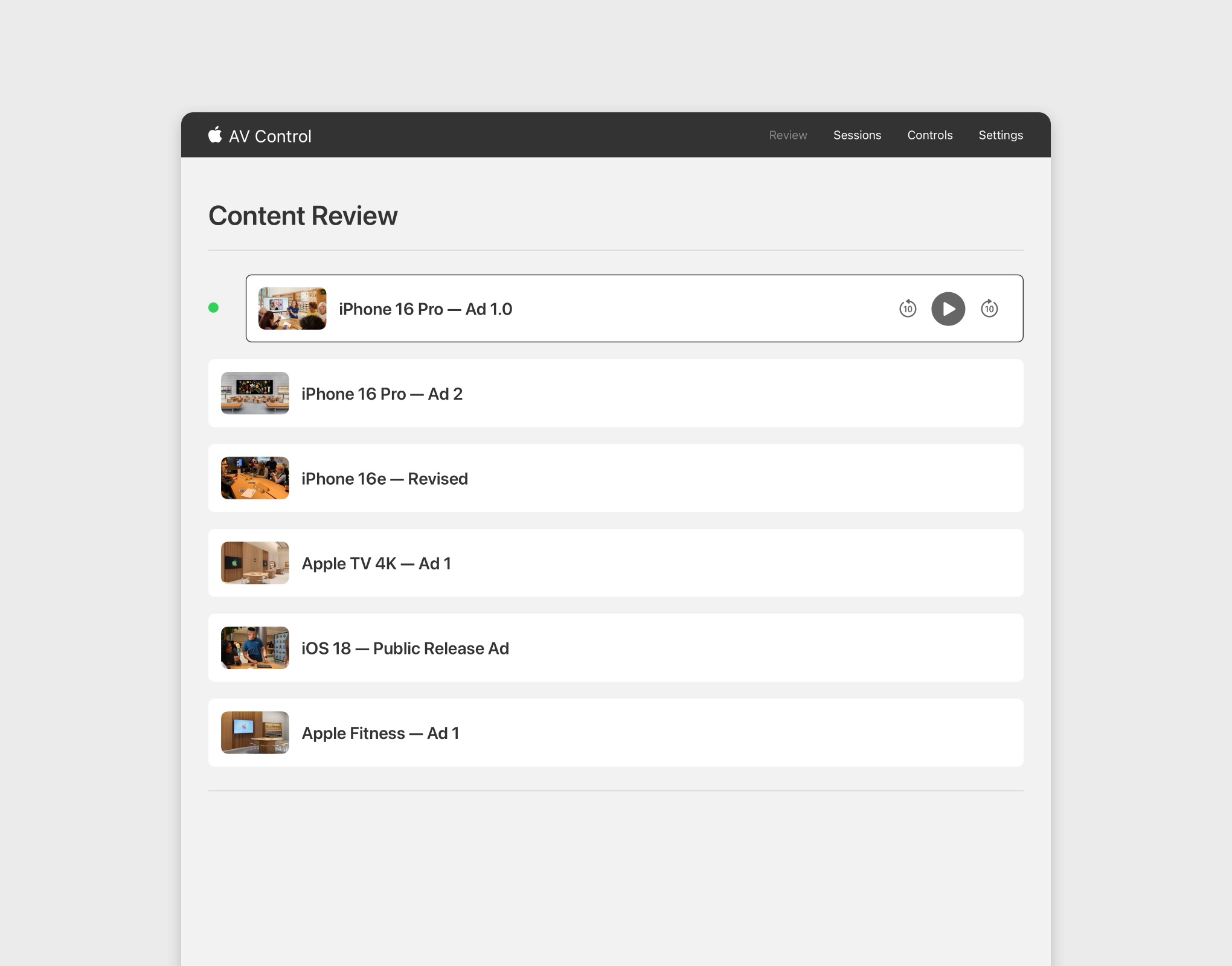
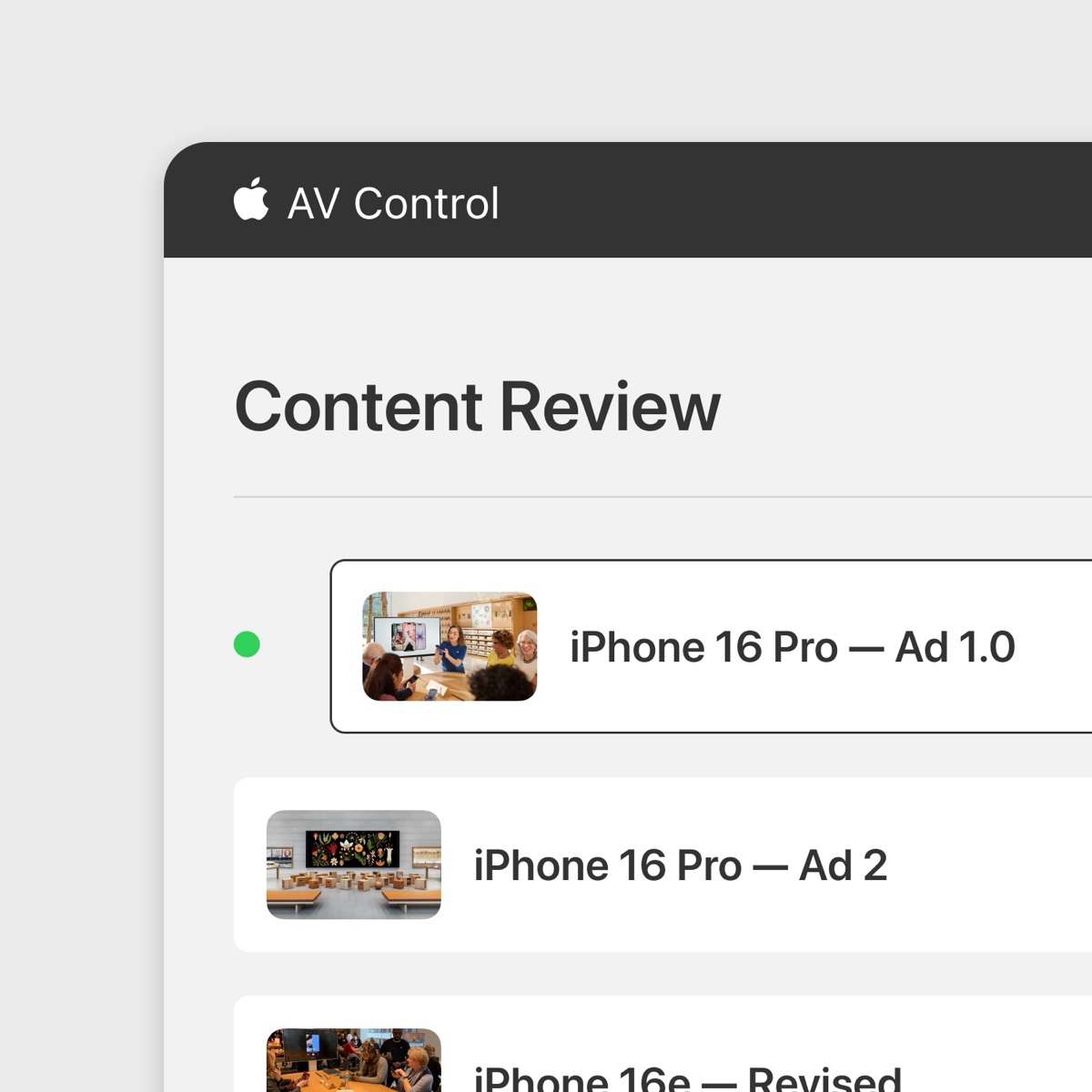
Based on the framed problem and aiming to solve it with minimal change to existing tech, we designed a permission-gated Review tab inside AV Control, invisible to anyone without clearance for it. Inside, the reviewers would pick a display, and immediately see that display's assets in a list with previews with their real filenames. Taping one would play it on that screen with media controls in hand. It was a straightforward design solution that tested well in walkthroughs and user tests, being quickly approved by the client and stakeholders.
Then implementation started, and the platform turned out to allow almost
none of it.
The Messy Parts
Due to missing and outdated documentation on the existing tech that supported important legacy stores such as Union Square or 5th Avenue, the development team found multiple issues with the approved user flow, and design and tightly integrated into the loop to work around limitations while making sure a single experience would be possible for all stores. The Security team was also involved later into the project which required even further changes due to how the assets should be processed by the app.
The Problem Legacy storeOS servers were not able to present a single assets, or to inform which asset was being presented. Instead their only playable unit was a playlist, so tap an asset and it plays was not possible on many stores.
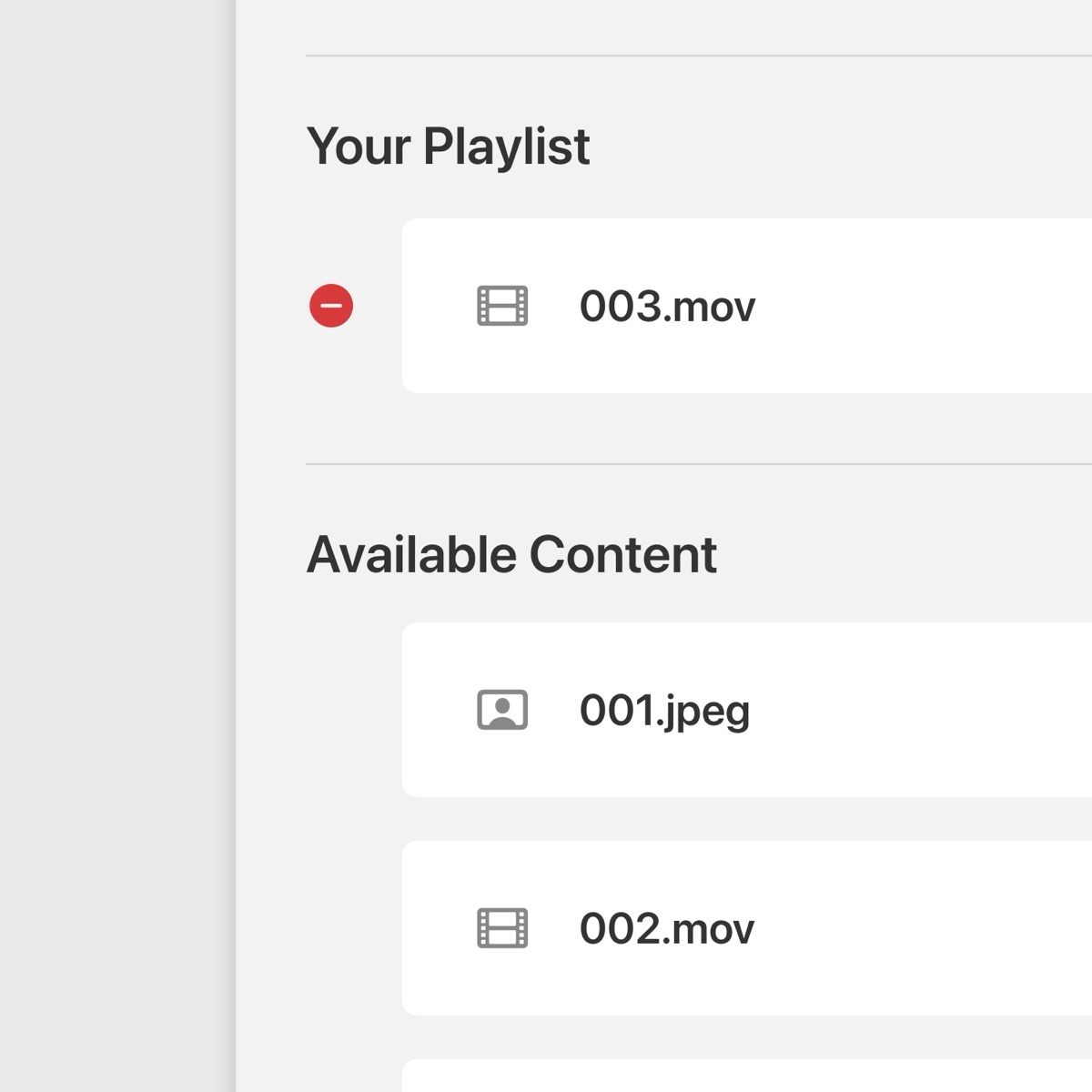
The Solution The assets list was replaced with a playlist builder, so users could add the assets to a queue, order and play them. After further feedback this turned out to be a better solution, since it allowed reviewers to test specific transitions between assets as well as general playback.
The Problem
Due to security concerns, AV Control would not be able to deliberately
read the actual files on the external drive, instead it would only receive
specific metadata with unique IDs such as 8F2A…D1, with no
names, no durations and no thumbnails, making it virtually impossible for
users to distinguish between assets by looking at the playlist.
The Solution
We started by reducing the number of assets by filtering based on the the
selected display class, then we implemented a reversible algorithm that
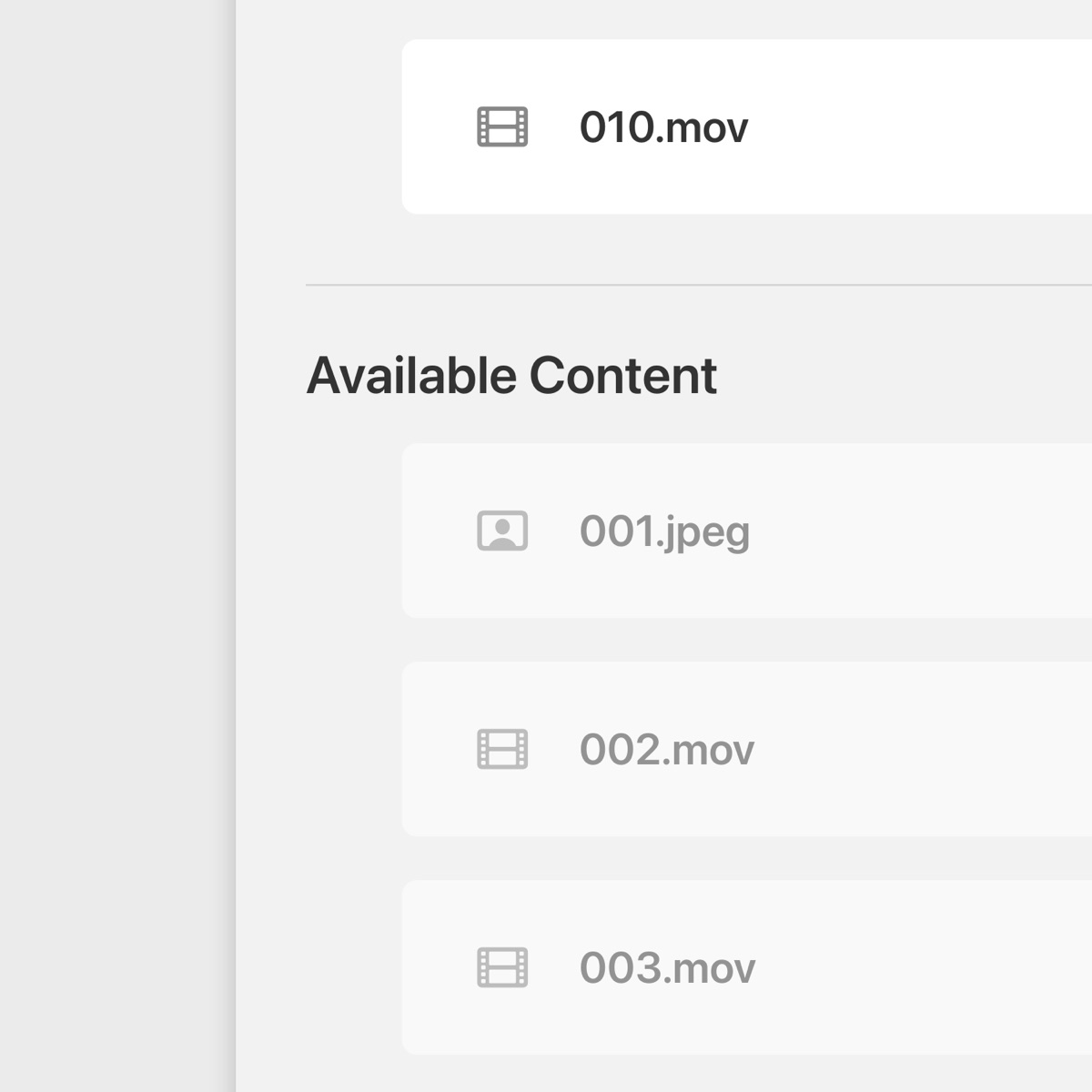
would allow to transform each UUID into a readable name with a real file
extension: 001.mov, 002.jpg... Allowing users to
identify assets and their type without ever reading real asset data.
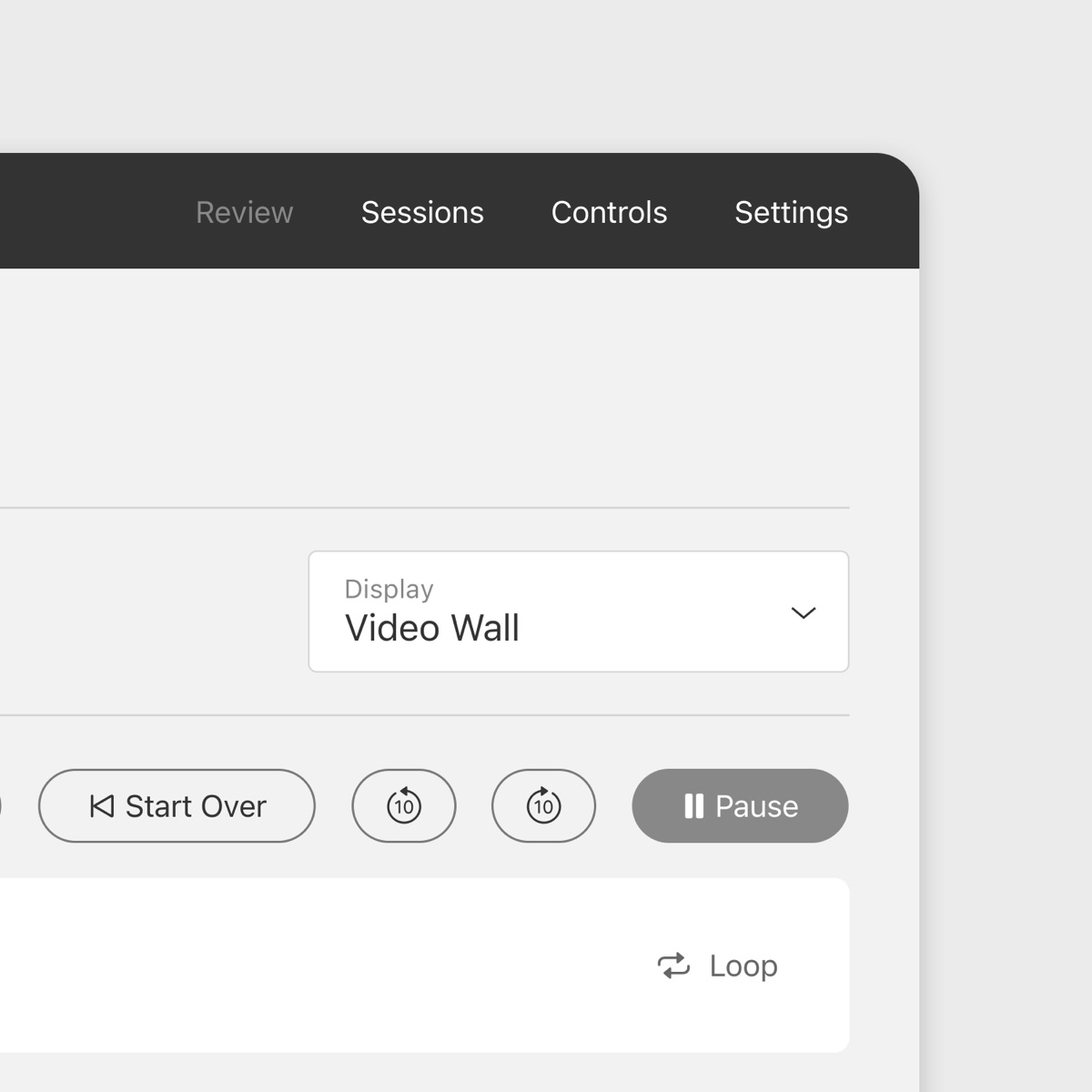
The Problem When a playlist mixes video and still images, play, pause, rewind and forward controls do not all mean the same thing for both. Since AV was not able to know exactly which asset was playing, one fixed control set would have left half of itself inert depending on what was on screen.
The Solution To work around this issue, we tricked storeOS servers into thinking that still images were videos with a single frame played over a certain preset amount of time. That way, when users used forward/backward controls, they would be able to control image playback and their transitions.
The Problem Due to the change from playing individual assets to playlists, a new server restriction was found, which did not allow playlists to be edited while still playing. Forcing users to stop each playlist to make changes and restart from the first asset.
The Solution While this was not possible to fix entirely, we worked around it by disabling playlist controls while playing, and keeping a local copy of the playlist order in the server, allowing users to make the changes and continue playing where they left off instead of starting over from the beginning.
Final Solution
The flow that shipped keeps the shape of the first version and rebuilds everything underneath it. A reviewer picks a display, sees only the assets that apply to that screen numbered in order, taps them into a playlist, and drives the room from the controls in their hand. Nothing on the screen describes the content, but users are still able to identify each asset.
Impact
The previous process was not a worse interface. It was a person with a cable. This replaced a serial, physical review, one screen at a time, with a remote one where the reviewer stands in the room and drives every display from the app. It did so without the system holding any identifiable information about what it was playing.
- 75% review time reduction
- Instant wireless setup time
- Reduced people and travel cost globally
- Full report on store layouts and aspect ratios
- Updated documentation on legacy storeOS behavior
- Over 5K assets reviewed to date across 30 new device releases
Further Additions
After the next major hardware release event after the tool launch, two new features were requested to further improve the impact and allow reviewers to better review assets across multiple revisions, and inspect videos in more detail.
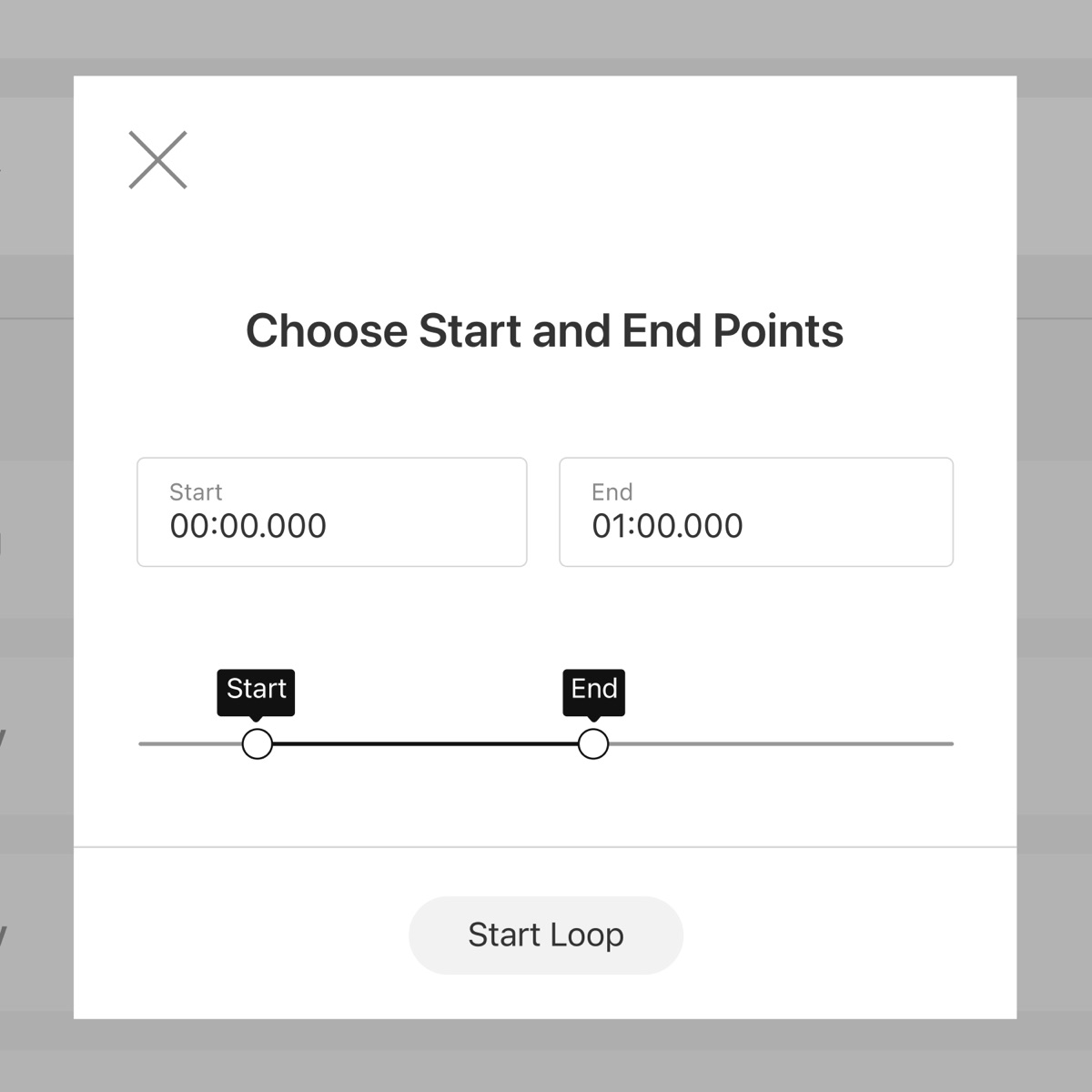
Loop Controls Set an in and out point on a video and the display holds that stretch on repeat. A disagreement about a few frames can then be settled while everyone is still looking at them, rather than restarting the asset for each pass.
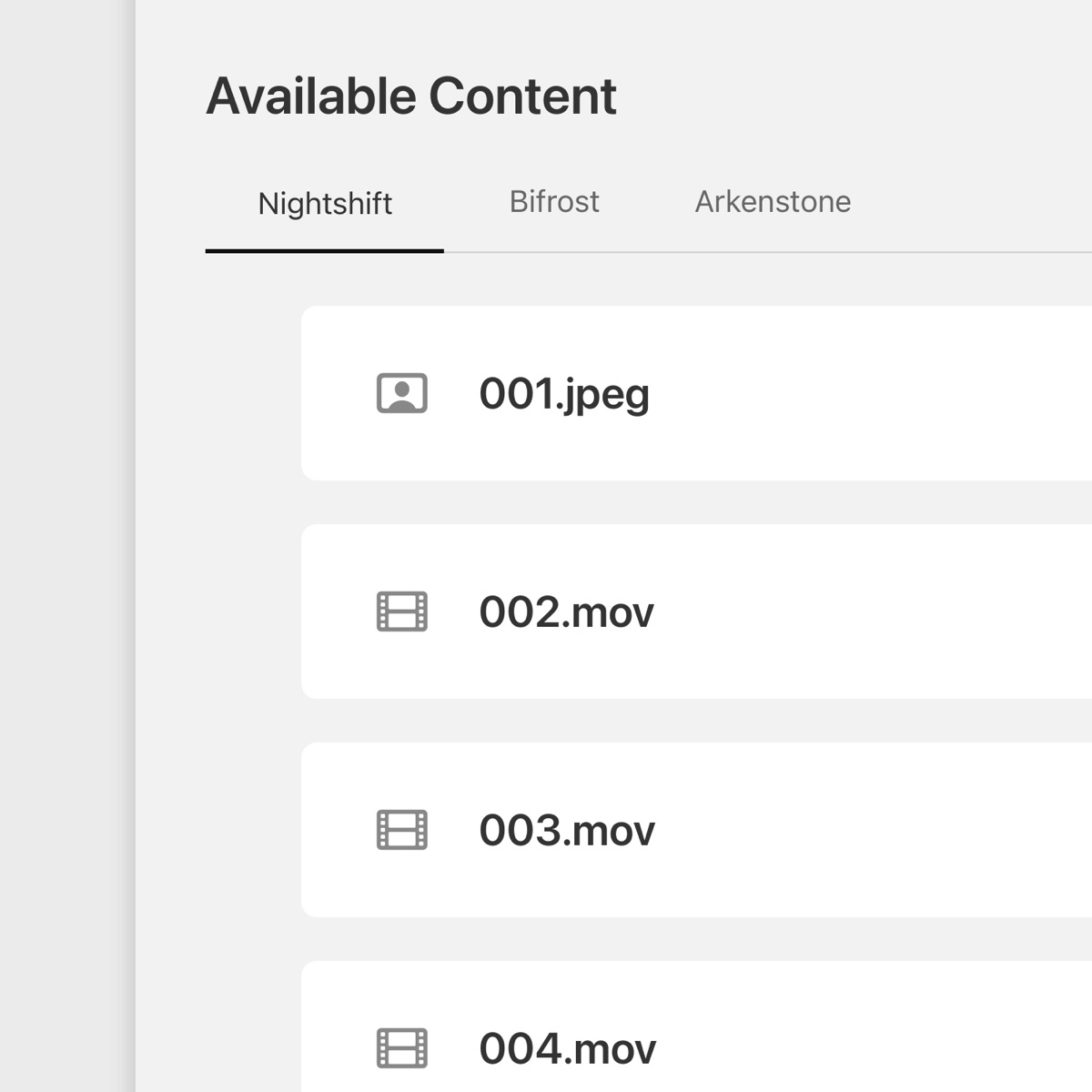
Multiple Folders More than one drive can be mounted at once, each belonging to a different launch, with folder selection sitting above the display picker. Reviewers had started working several launches in a single night, and this is what let them.
Learnings
Feasibility Is Part of Design —
On a hardware-bound product, feasibility discovery is not a phase that follows design. Here a full design was approved before the platform underneath it was understood, and the cost of that arrived later as rework. The reliable order is to establish what the system can actually do before anything is drawn, and to treat any sign-off obtained ahead of that as provisional, out loud, so nothing downstream gets planned around it.
Constraints Were the Brief —
When the redaction requirement landed, the response was not to argue for an exception. Privacy was not negotiable, and the useful design space turned out to be entirely inside the constraint. The positional labelling only exists because the attempt to obtain real filenames was dropped, which makes it the clearest example on this project of a hard limit read as the brief rather than as an obstacle.
Hindsight
Engineering Should Have Been Consulted First —
Engineering was busy, and that was the reason design ran ahead of them rather than alongside. Bringing them in before the first version went for approval would have surfaced the outdated documentation on the legacy servers while the design was still cheap to change, and most of the rework that followed was avoidable on those grounds alone. Interrupting a busy team costs a week; being wrong about the platform cost considerably more than that.